
Amazon Book Description Optimization: The A+ Guide
Master Amazon book description formatting, keyword placement, above-the-fold optimization, A+ content, and mobile vs desktop display. Data-backed strategies from 2,500+ books analyzed.
Your Amazon Description Is Not Your Back Cover
Most authors treat their Amazon book description as if it were back cover copy. Same text, same formatting, same approach. This is a mistake that costs sales every single day — because the Amazon product page is a fundamentally different reading environment from a physical bookshelf.
On a bookshelf, the reader is already holding your book. They've picked it up, turned it over, and they're reading the back. On Amazon, your description is competing with a dozen other tabs, push notifications, and the eternal temptation to scroll down to the reviews instead.
Amazon's product page has specific constraints and opportunities that don't exist in print:
The fold. Amazon truncates your description after roughly 200-250 words (varies by device). Everything below that line requires a "Read more" click. Most shoppers never click it. Your first 100 words are doing 80% of the selling.
HTML formatting. Amazon allows a subset of HTML in your description — bold, italic, line breaks, and (through the Author Central editor) headings. Most authors use none of it. The ones who do stand out immediately.
Mobile dominance. Over 65% of Amazon book purchases start on a mobile device. Your description needs to be scannable on a 6-inch screen — not optimized for a desktop browser you're writing on.
We analyzed descriptions from our dataset of 2,500+ books across major genres to identify what works, what doesn't, and where the biggest optimization opportunities hide. Let's break it down.
Top mystery titles — their Amazon descriptions convert

What She Saw

Beautiful Venom: A Dark Hockey Romance (Vipers Book 1)

Death to Valentine's Day (The Improbable Meet-Cute: Second Chances)

The Oligarch's Daughter: A Breakneck Spy Thriller

The Good Samaritan

When You Disappeared
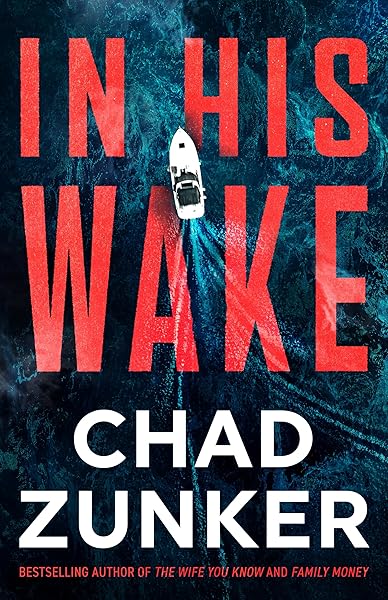
In His Wake
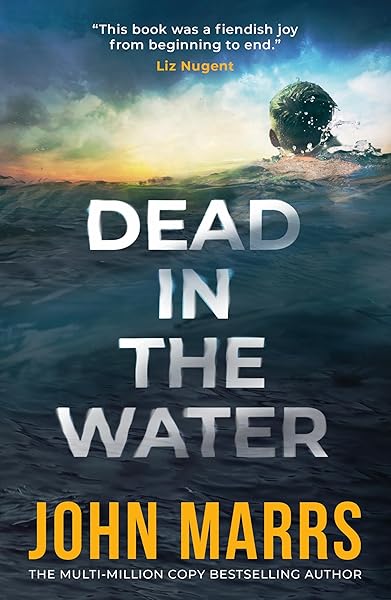
Dead in the Water

No One Knew (Noelle Marshall Book 2)
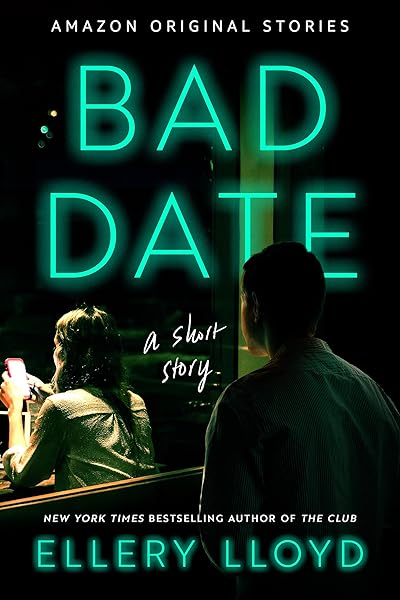
Bad Date: A Short Story
Above the Fold: The 100 Words That Matter Most
The "fold" on an Amazon product page is the line where your description gets cut off by a "Read more" link. On desktop, this is roughly 300-350 characters (about 50-60 words). On mobile, it can be even less — sometimes as few as 150 characters before the truncation.
This means your opening sentence isn't just important — it's often the only sentence a shopper reads. Everything you've heard about blurb hooks applies here, but with an even tighter window.
What goes above the fold:
1. A social proof line (if you have it). "A #1 Amazon Bestseller" or "Winner of the 2025 Edgar Award" or a pull quote from a recognizable name. This isn't vanity — it's a trust signal that reduces the reader's perceived risk. Place it before your description text, formatted in bold or italic.
2. Your strongest hook sentence. The first line of your actual description. This should be the most compelling, genre-specific sentence you can write. Not a question — questions are easy to ignore. A statement that creates an emotional or intellectual itch. "Detective Mara Chen hasn't slept in four days" is harder to walk away from than "What if you couldn't trust anyone?"
3. Genre signals. Within those first 100 words, the reader should be able to identify exactly what kind of book this is. Tropes, tone, and stakes — all signaled, not explained.
The above-the-fold test: Open your Amazon listing on a phone. Read only the visible text before "Read more." If those words alone don't make you want to buy the book, rewrite them. Nothing below the fold matters if the reader never gets there.
Amazon HTML Formatting: What's Allowed and What Works
Amazon's description field accepts a limited subset of HTML. Using it properly transforms a wall of text into a scannable, professional listing. Ignoring it makes your book look amateur — even if the writing is exceptional.
Allowed HTML tags:
<b> and <strong> — Bold text. Use for key phrases, character names in their first mention, and emotional peaks. Don't bold entire paragraphs; it defeats the purpose.
<i> and <em> — Italic text. Use for pull quotes, book titles, and emphasis within sentences. Italics signal importance without the visual weight of bold.
<br> — Line break. Critical for creating white space. Amazon compresses paragraph tags, so manual <br> tags are your main tool for controlling spacing.
<h2> through <h6> — Available through Author Central, not the KDP description field directly. Headings create visual hierarchy and are especially effective for nonfiction.
NOT allowed: <a> links, <img> images, <ul>/<ol> lists, <div>/<span> containers, inline styles, CSS classes. Amazon strips these silently — your description renders without them, which can break your intended layout.
The formatting formula that works:
Use bold for your hook line. Add a line break after it. Write your description in 2-3 short paragraphs (3-4 sentences each) with line breaks between them. Bold one key phrase per paragraph — the phrase that would hook a reader who's only scanning bolded text. End with an italic tagline or call to action.
This structure means a reader who scans only bolded text still gets: the hook, the core conflict, and the emotional promise. That's enough to trigger a purchase from a genre reader who's already primed by the cover.
Keyword Placement: SEO for Amazon's Algorithm
Amazon's search algorithm (A9/A10) indexes your book description for keyword relevance. This means your description isn't just selling to readers — it's also signaling to Amazon's algorithm what searches your book should appear in.
This creates a tension: you want natural, compelling prose that sells to humans AND keyword-rich text that ranks in searches. Here's how to do both.
1. Primary keyword in the first sentence. If your target keyword is "small town cozy mystery," work it into your opening naturally. "In this small town cozy mystery, retired accountant Meg Hartley..." is clunky. Better: "Meg Hartley came to Jasper Cove for a quiet retirement — not to solve the most twisted mystery this small town has ever seen." The keywords are there; they're just woven into the story.
2. Genre and subgenre terms in the body. Include terms readers actually search for: "enemies to lovers romance," "epic fantasy," "psychological thriller," "amateur sleuth mystery." These are buying signals for both the algorithm and the reader.
3. Comp titles and trope names. "Perfect for fans of Freida McFadden" or "A dark academia fantasy with enemies-to-lovers tension" serves dual purposes: it signals the algorithm and tells readers exactly what to expect.
4. Don't keyword stuff. Amazon penalizes descriptions that read like SEO spam. If you can't say a keyword naturally, put it in your backend keywords (the 7 keyword fields in KDP) instead. Those fields are invisible to readers but fully indexed by the algorithm.
Keyword research shortcut: Use the Market Intelligence tool to identify trending keywords and tropes in your genre. The data comes from real Amazon bestseller analysis, not guesswork.
Romance: trope keywords drive discovery


Fantasy: subgenre keywords matter

On Wings of Blood: A Novel (Bloodwing Academy Book 1)

Rain of Shadows and Endings (The Legacy)

A Tongue so Sweet and Deadly (The Compelling Fates Saga)

Shield of Sparrows: An Enemies-to-Lovers Epic Romantasy

We Who Will Die: An Epic Romantasy of Forbidden Love, Deadly Secrets, and Vampires in a High-Stakes Arena, Discover a Vividly Reimagined Ancient Rome (Empire of Blood Book 1)
A+ Content: The Visual Upgrade
Amazon A+ Content (formerly Enhanced Brand Content) lets authors with a registered brand add rich media — images, comparison charts, and formatted text — to their product page. It appears below the standard description and transforms your listing from text-only to a visual experience.
What A+ Content includes:
Custom banner images. Side-by-side comparison modules (useful for series). Text-over-image layouts. Character or world-building graphics. Author photo and bio sections. Series reading-order visuals.
Why it matters: A+ Content appears directly on the product page, not behind a tab or link. It's automatically visible on mobile, where it takes up significant screen real estate. For series authors, a visual reading-order guide can dramatically improve readthrough by making the next book purchase friction-free.
A+ Content best practices:
Lead with your strongest visual. A banner image that captures the mood of your genre — dark and atmospheric for thriller, warm and inviting for romance, epic and vast for fantasy. This isn't your cover image; it's a mood piece that extends your brand.
Include a "Books in this series" module. Show all covers in order with brief one-line descriptions. Make it effortless for a reader who just finished book one to find book two. This single A+ module can increase readthrough by 10-15%.
Keep text minimal. A+ Content is visual-first. Don't repeat your description — extend it. Show the world, introduce the characters visually, set the mood. Readers who scroll to A+ Content are already interested; give them reasons to buy, not information to process.
How to get A+ Content access: You need to register with Amazon Brand Registry or join Amazon Author Central. Once enrolled, A+ Content is available in your KDP dashboard under the Marketing tab. It's free to use — there's no cost beyond creating the content itself.
Mobile vs Desktop: Designing for Both Screens
The Amazon shopping experience is dramatically different on mobile versus desktop, and most authors optimize for the wrong one. You're writing your description on a laptop with a 15-inch screen. Your readers are buying on a phone with a 6-inch screen.
Key mobile differences:
Less visible text. The fold is earlier on mobile. Your first 150 characters (roughly one sentence) may be all that's visible without tapping "Read more." On desktop, you get about 350 characters.
No sidebar. Desktop shows your description alongside the cover image, product details, and buy box. Mobile stacks everything vertically. Your description appears after the cover, title, author, and price — the reader has already scrolled past several decision points before reaching your words.
Larger text, less per line. Mobile renders body text at a readable size, which means fewer words per line and more scrolling. Dense paragraphs that look fine on desktop become walls of text on mobile.
Touch targets matter. Bold text on mobile serves as visual anchors. Readers scrolling with their thumb stop on bold phrases. Think of bold text as "thumb stops" — each one should convey a key selling point independently.
Mobile optimization checklist:
1. Open your listing on a phone. Read only the visible text.
2. Check that bold phrases create a coherent pitch when read alone.
3. Verify paragraphs are 2-3 sentences max (4-5 sentence paragraphs become walls).
4. Confirm line breaks render correctly (double <br> for paragraph spacing).
5. Test A+ Content images at mobile dimensions — text in images may be unreadable.
The brutal truth: if your description doesn't work on a phone, it doesn't work for most of your readers. Always write mobile-first, then verify it also looks good on desktop.
Testing Methodology: How to Know If Your Description Works
Your book description is marketing copy, and marketing copy should be tested, not guessed at. Here's a rigorous process for optimizing your Amazon description over time.
Step 1: Establish a baseline. In your KDP dashboard, note your current conversion rate: orders divided by page views over a 14-day period. You need at least 200 page views for the data to be meaningful. If you're running ads, keep ad spend consistent during testing.
Step 2: Change one element at a time. Don't rewrite the entire description between tests. Change the hook sentence. Then measure for 2 weeks. Change the social proof. Measure. Change the closing. Measure. Isolating variables tells you what actually moved the needle.
Step 3: Test in this order (highest impact to lowest):
1. First sentence (above-the-fold hook) — highest impact because it's the most-read element.
2. Social proof placement — adding or repositioning reviews and awards.
3. Formatting — adding HTML structure, bold phrases, line breaks.
4. Closing hook — the last sentence that drives the purchase decision.
5. Full rewrite — only after testing individual elements.
Step 4: Track seasonality. Book sales fluctuate by day of week and time of year. Compare test periods that share similar conditions — don't compare a holiday week against a normal week.
Step 5: Use the Blurb Writer for variation generation. Testing requires multiple versions, and writing them from scratch is slow. Generate 3 variants with different hooks, structures, and tones, then test each systematically. The AI handles the drafting; you handle the strategic testing decisions.
Most authors write one description, publish it, and never touch it again. The authors who treat their description as a living, testable asset consistently outperform those who don't. Your description is an ad — and the best ads are the ones that get iterated, not the ones that get published.
Optimized descriptions drive these mystery bestsellers
Try Our AI Writing Tools
Generate blurbs, plot outlines, and more — designed for pantsers.
Try the Blurb WriterRelated Articles
Unlock the power of an AI blurb writer for books. Learn how to craft compelling, data-backed book blurbs that captivate readers and boost sales. Get actionable tips!
Genre-specific blurb formulas with real examples. Romance emotional stakes, thriller ticking clocks, fantasy world hooks, mystery question openers — plus the word count and structure that convert browsers into buyers.
Master the art of the book blurb. Genre-specific formulas, real examples, and common mistakes that kill sales on Amazon.
Social Proof Integration
Social proof — reviews, awards, endorsements, bestseller status — is the most underused element in Amazon book descriptions. Authors bury their best validation at the bottom of the page or leave it out entirely.
Where to place social proof:
Above the description: Awards, bestseller rank, and celebrity endorsements go first. Before your blurb text, before your hook. A line like "#1 New Release in Psychological Thrillers" or "'Unputdownable.' — [Major Author Endorsement]" in bold or italic creates instant credibility.
Below the description: Reader review excerpts, less prominent endorsements, and series information. After your blurb's closing hook, add 2-3 short pull quotes from reviews. Bold the most compelling phrase in each.
What counts as social proof:
Amazon bestseller badges (even if you hit #1 in a subcategory for an hour — it still counts). Editorial reviews from legitimate sources. Pull quotes from reader reviews (select the ones that read like blurb copy themselves). Awards, nominations, and contest wins. Comparison to known authors ("Fans of Colleen Hoover will devour this").
What doesn't work: Quotes from your mom. Endorsements from authors nobody has heard of (unless they're in the same genre and their readers might follow the recommendation). Self-awarded superlatives ("The most thrilling thriller of the decade"). Readers can smell manufactured hype.
The psychological principle: readers on Amazon are making a purchase decision under uncertainty. They don't know you. They don't know if your book is good. Social proof reduces that uncertainty by showing that other people — people like them — took the risk and were rewarded. It's not about ego. It's about lowering the perceived risk of a $4.99 decision.