
Kindle Publishing Step-by-Step Guide (2026)
Complete KDP walkthrough from account setup to first sale. Manuscript formatting, cover requirements, categories, pricing strategy, and launch checklist — everything you need to self-publish on Amazon in 2026.
Publishing on Kindle Has Never Been Easier (Or More Competitive)
In 2026, anyone with a manuscript can have a book on Amazon in under 72 hours. Kindle Direct Publishing (KDP) has removed every technical barrier that once stood between writers and readers. No agents. No query letters. No 18-month wait. You write the book, you upload it, and it's on sale to the planet's largest bookstore.
But "easy to publish" doesn't mean "easy to succeed." Our analysis of 2,500+ books across major fiction genres reveals a market that's both massive and intensely competitive. Romance alone has 14 million books on Goodreads. Fantasy has 19.4 million. These aren't barriers — they're proof that readers are hungry — but they demand that you get the fundamentals right from day one.
This guide walks you through every step of the Kindle publishing process, from creating your KDP account to making your first sale. Not theory — concrete actions, in order, with the exact specifications and settings that matter. Whether this is your first book or your tenth, this is the reference you'll come back to.
Every one of these started with a KDP upload

Bad Bishop: A Dark Mafia Romance (Society of Villains Book 1)

Till Summer Do Us Part

Rewind It Back (Windy City Series Book 5)

Say You'll Remember Me

The Wild Card: a single dad hockey romance

Picking Daisies on Sundays

The Fall Risk: A Short Story

King of Depravity: Dark Steamy Mafia/Billionaire Romance (Kings of Las Vegas Book 1)

The Mysterious Bakery on Rue de Paris: An Enchanting and Escapist Novel from the Internationally Bestselling author of The Lost Bookshop for 2025

The Butcher (Fifth Republic Series Book 1)

The Women of Arlington Hall: A Novel

The First Witch of Boston: A Novel
Step 1: Set Up Your KDP Account
Go to kdp.amazon.com and sign in with your Amazon account (or create one). KDP is free — there are no fees to set up an account or publish a book.
Tax information. Before you can publish, you'll need to complete a tax interview. For US authors, this means providing your SSN or EIN. For international authors, you'll need to complete a W-8BEN form. Amazon withholds 30% of royalties for authors in countries without a US tax treaty — check if your country has one and provide the treaty benefit information to reduce or eliminate withholding.
Banking information. Add your bank account for royalty payments. Amazon pays monthly, approximately 60 days after the end of each sales month (March sales arrive around June 1). You can add bank accounts in multiple currencies to avoid conversion fees.
Author profile. Set up your Author Central page at author.amazon.com. This is separate from KDP but linked to the same Amazon account. Author Central lets you add a bio, photo, blog posts, and manage your bibliography. It also gives you access to A+ Content for your book descriptions.
Pen name decision. KDP allows you to publish under any name. Your legal name is required for tax purposes but never displayed publicly. Many successful authors use pen names — especially when writing in multiple genres. Decide now, because changing your author name after publication is possible but messy.
Step 2: Format Your Manuscript
KDP accepts several file formats, but two are recommended: DOCX (Microsoft Word) for simplicity, and EPUB for maximum control. Both convert to Amazon's proprietary KPF format for delivery to Kindle devices.
DOCX formatting rules:
Use Word's built-in heading styles (Heading 1 for chapter titles, Normal for body text). Amazon's converter uses these to generate the table of contents automatically. Don't manually format headings with big bold text — use the styles dropdown.
Set paragraph spacing through styles, not manual line breaks. First-line indent of 0.5 inches for fiction is standard. Don't use tab characters for indentation — they render inconsistently across Kindle devices.
Page breaks before each chapter: Insert → Page Break (Ctrl+Enter). This ensures each chapter starts on a new screen.
EPUB formatting: Tools like Calibre, Vellum (Mac), or Atticus can produce properly formatted EPUB files with more design control than DOCX. If you're planning to publish widely (not just Amazon), EPUB is the universal standard and worth learning.
Front matter order: Title page → Copyright page → Dedication (optional) → Table of contents → Prologue/Chapter 1. Keep front matter minimal — Kindle readers want to start reading quickly. Amazon's "Look Inside" preview shows your first 10-15%, so make sure your opening chapter appears within that window.
Back matter order: Acknowledgments → About the Author → Also By (with links to your other books) → Newsletter signup link. The "Also By" page is critical for series authors — it's your easiest readthrough driver.
Pro tip: Amazon's KDP previewer tool lets you see exactly how your book will render on different Kindle devices. Always check the phone view — it's the most constrained and the most common reading device.
Step 3: Create Your Cover
Your cover is the single most important marketing asset your book will ever have. On Amazon, it's a thumbnail — roughly 200 pixels wide in search results — and readers make instant genre judgments based on color, typography, and imagery alone.
KDP cover specifications:
Dimensions: Minimum 625 x 1000 pixels. Recommended: 1600 x 2560 pixels (1:1.6 aspect ratio). This gives you the highest resolution for retina displays and print scaling.
File format: JPEG or TIFF. JPEG is fine for ebooks — the compression is invisible at screen resolution.
Color space: RGB for ebook. CMYK for paperback. Amazon will reject CMYK uploads for the Kindle edition.
No bleed for ebooks. Unlike paperback covers, ebook covers don't need bleed. Your artwork should fill the exact dimensions with no extra margin.
Genre expectations matter more than artistic originality. Romance covers use warm colors, close-up imagery, and script fonts. Thriller covers use dark palettes, bold sans-serif fonts, and high-contrast designs. Fantasy covers use rich illustration, layered typography, and atmospheric color. Browse genre covers in our database to see the patterns.
Your cover doesn't need to be expensive. It needs to be genre-accurate. A $50 premade cover that matches genre expectations will outsell a $500 custom design that looks like the wrong genre.
The Cover Generator in Dear Pantser creates genre-optimized covers at the right dimensions, with typography and color palettes calibrated to your specific market. You can generate, customize, and export directly to KDP specifications.
Fantasy cover conventions

On Wings of Blood: A Novel (Bloodwing Academy Book 1)

Rain of Shadows and Endings (The Legacy)

A Tongue so Sweet and Deadly (The Compelling Fates Saga)

Shield of Sparrows: An Enemies-to-Lovers Epic Romantasy

We Who Will Die: An Epic Romantasy of Forbidden Love, Deadly Secrets, and Vampires in a High-Stakes Arena, Discover a Vividly Reimagined Ancient Rome (Empire of Blood Book 1)


Step 4: Set Up Your Book Details on KDP
This is where most new authors lose sales — not because the content is wrong, but because the metadata is suboptimal. Amazon's algorithm uses your book details to decide who sees your book. Every field matters.
Title and subtitle. Your title should be unique, memorable, and searchable. Include a subtitle for nonfiction (it's indexed by the search algorithm). For fiction, subtitles are unusual — use the series field instead.
Series name and number. If your book is part of a series, fill this in. Amazon displays it prominently and recommends series books to readers who've bought earlier installments. Fantasy series especially benefit — 44% of fantasy titles in our dataset are series books.
Description. You get up to 4,000 characters. Use HTML formatting (bold, italic, line breaks). Front-load your strongest hook above the fold. Include genre keywords naturally. See our Amazon description optimization guide for the complete playbook.
Categories. You can select up to three BISAC categories. Choose the most specific subcategory that applies — "Fiction > Mystery & Detective > Women Sleuths" is better than "Fiction > Mystery" because there's less competition. After publishing, you can request up to 10 categories through Author Central.
Keywords. Seven keyword fields, each up to 50 characters. Use these for terms that don't appear naturally in your title or description. Think like a reader: "small town cozy mystery with cats" or "enemies to lovers fantasy romance." Combine multiple terms per field.
Age and grade range. Only relevant for children's books. Leave blank for adult fiction.
Step 5: Pricing Strategy
Pricing is the highest-leverage decision you'll make after cover and description. The wrong price can cut your revenue by 50% — and the right one varies dramatically by genre.
The 70% vs 35% royalty tiers:
KDP offers two royalty rates. The 35% royalty applies to books priced under $2.99 or over $9.99. The 70% royalty applies to books priced between $2.99 and $9.99. Most indie authors price within the 70% range for obvious reasons.
Genre-specific pricing from our data (2,500+ books):
Launch Pricing Strategies
Notice that Fantasy's average ($11.67) exceeds the 70% royalty ceiling. Many fantasy books are long enough to justify higher prices, and readers in that genre have a higher willingness to pay. For most genres, however, the sweet spot is $3.99-$5.99 for your first book.
Strategy 1: Launch at $0.99. Loss-leader approach. You earn $0.35 per sale but maximize downloads, reviews, and algorithm visibility. Switch to full price after 2-4 weeks or after hitting a review threshold. Best for book one of a series where readthrough generates the real revenue.
Strategy 2: Launch at $2.99-$3.99. Balanced approach. Signals quality while remaining an impulse buy. This is the most common strategy for debut indie authors. Works well with Amazon ads because the cost-per-click economics are sustainable.
Strategy 3: Launch at $4.99. Premium positioning. Signals confidence and quality. Works best if you have social proof (reviews, awards, mailing list) before launch. Higher royalty per sale but slower initial velocity.
Kindle Unlimited considerations. If you enroll in KU (which requires Amazon exclusivity), you earn per page read regardless of price. Romance has the highest KU enrollment at 58%, followed by Horror at 60%. For KU-heavy genres, pricing matters less because most revenue comes from page reads, not purchases. But your list price still signals perceived value to browse buyers.
Paperback Pricing
KDP Print (formerly CreateSpace) lets you publish a paperback alongside your ebook at no upfront cost. You set the list price; Amazon takes a printing cost plus their cut; you keep the rest.
Printing cost depends on page count, trim size, and ink type. A typical 300-page novel in 6x9 trim with cream paper costs about $4.50-$5.00 to print. Most indie authors price paperbacks at $12.99-$15.99 (yielding $2-$5 royalty).
Why bother with paperback when ebook is the primary format? Two reasons. First, having a paperback makes your ebook look more legitimate — the product page shows multiple formats, which signals a "real book." Second, some readers prefer physical books, and you're leaving money on the table by not offering the option.
Step 6: Kindle Unlimited — To Enroll or Not
KDP Select enrolls your book in Kindle Unlimited (KU), Amazon's subscription reading service, for a 90-day term. In exchange for Amazon exclusivity, you get access to KU's reader pool and promotional tools.
The case for KU enrollment:
KU readers are voracious. They read multiple books per month and are more likely to take chances on new authors because the marginal cost is zero (they're already paying the subscription). For genres with high KU adoption, enrollment can double or triple your revenue. Our data shows:
Horror: 60% KU enrollment — the highest of any major genre. KU is nearly mandatory for horror authors.
Romance: 58% KU — the genre that built KU's business model. Romance readers consume 4-8 books/month; KU is built for them.
Fantasy: 42% KU — strong but not dominant. Fantasy's higher prices mean direct purchase revenue is also significant.
Mystery: 38% KU and Thriller: 36% KU — lower enrollment. These genres have more readers who buy individual books.
The case against KU enrollment:
Exclusivity means you can't sell on Apple Books, Kobo, Google Play, or Barnes & Noble. For genres where Amazon doesn't dominate the market (literary fiction, some nonfiction), going wide can produce more total revenue. KU page-read rates have also decreased over time — in 2026, the per-page rate fluctuates around $0.004-$0.005, meaning a 300-page novel earns $1.20-$1.50 per full read in KU versus $3.49 per purchase at $4.99.
The decision framework: If you're writing in romance, horror, or fantasy with a series — start with KU. The reader pool advantage in those genres overwhelms the wide distribution argument. If you're writing standalone literary fiction or nonfiction — consider going wide from day one.
Step 7: Pre-Launch Checklist
Before you click "Publish," run through this checklist. Each item takes minutes but prevents problems that take days to fix after launch.
Manuscript:
- Professional edit complete (minimum: copy edit for grammar and consistency)
- Beta reader feedback incorporated
- Front matter formatted (title, copyright, TOC)
- Back matter includes "Also By" and newsletter link
- Kindle previewer checked on all device types (phone, tablet, desktop)
Cover:
- 1600 x 2560 pixels, RGB, JPEG
- Tested at thumbnail size (200px wide) — title still readable?
- Genre-appropriate design confirmed against market comparables
Description:
- Under 250 words (above-the-fold focus)
- HTML formatting applied (bold hooks, line breaks)
- Checked on mobile device
- Genre keywords included naturally
Metadata:
- Three most specific categories selected
- Seven keyword fields filled with reader search terms
- Series name and number set (if applicable)
- Price set at your launch strategy level
Marketing:
- ARC readers have received advance copies
- Email list notified with pre-order or launch date
- Amazon Author Central profile complete
Step 8: Publish and Post-Launch
Click "Publish Your Kindle eBook." Amazon reviews your submission (usually 24-72 hours, sometimes faster) and then your book goes live on the Kindle Store worldwide.
The first 72 hours matter. Amazon's algorithm gives new releases a temporary visibility boost. Books that generate sales velocity during this window get recommended more broadly. This is why a coordinated launch — email list, ARC reviews posted on day one, social media — matters more than marketing efforts weeks later.
Reviews are currency. Amazon's algorithm and reader psychology both weight reviews heavily. Your first goal: 10 reviews. At 10, you unlock certain Amazon recommendation algorithms. At 50, you qualify for some promotional services. Encourage your ARC readers to post reviews on launch day. Don't incentivize reviews (against Amazon's TOS) — just ask your existing readers.
Monitor and iterate. After launch, check your KDP dashboard daily for the first two weeks. Watch:
Page views vs orders — this is your conversion rate. If page views are high but orders are low, your description or price is the problem, not your marketing.
KU pages read — if you're in KU, this tells you whether readers are finishing the book. Low completion rates suggest a pacing or quality issue.
Category rank — tracks your visibility. A sudden spike means the algorithm is working for you; a sudden drop means your velocity has slowed.
Publishing on Kindle is the beginning, not the end. The most successful indie authors treat each book as a product launch — with pre-launch preparation, a coordinated launch week, and ongoing optimization. Your first book teaches you the system. Your second book is where it starts paying off. And your series — if you write one — is where the real economics of indie publishing come alive.
Ready to start? Build your cover, craft your blurb, and check the market data for your genre. The tools are here. The readers are waiting.
Every bestseller was once a first upload
On Wings of Blood: A Novel (Bloodwing Academy Book 1)
Rain of Shadows and Endings (The Legacy)
A Tongue so Sweet and Deadly (The Compelling Fates Saga)
Shield of Sparrows: An Enemies-to-Lovers Epic Romantasy
We Who Will Die: An Epic Romantasy of Forbidden Love, Deadly Secrets, and Vampires in a High-Stakes Arena, Discover a Vividly Reimagined Ancient Rome (Empire of Blood Book 1)
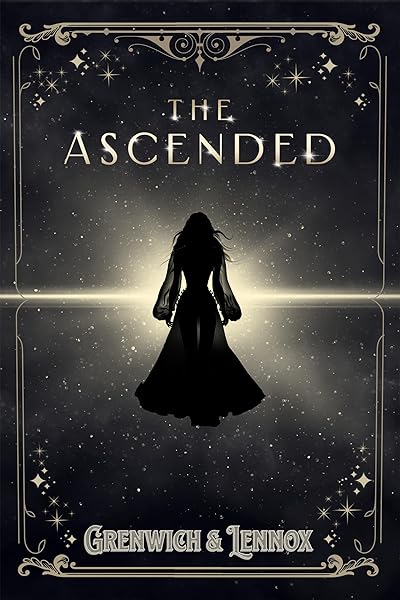
The Ascended (The Aesymarean Duet)

Hollow (Crown of Hearts and Chaos Book 1)

Eldritch (The Eating Woods)
Start Publishing with Dear Pantser
AI covers, market analysis, blurb writer, and plot tools — all in one place.
Get StartedRelated Articles
Unlock the power of Amazon Ads for authors. Learn how to set up, optimize, and scale your campaigns for profitability, starting with just $5 a day.
Unlock the secrets to creating high-quality audiobooks in 2026, blending AI narration with traditional methods. Learn about tools, platforms, and best practices for indie authors.
Honest comparison of AI book cover generators in 2026: Dear Pantser, BookBrush, Canva, Midjourney, and DALL-E. Genre accuracy, typography, dimensions, cost, and learning curve — with data from 2,500+ books analyzed.